From Hobby to Shop: How to Turn Your Laser Cutting Passion Into a Real Business
From Passion Project to Real Business
It usually starts small. You cut a set of ornaments for a friend’s tree, a layered sign for your sister’s kitchen, a box for a birthday gift — and then someone asks the question that changes everything: “Can I buy one of these?” A few more requests later, you’re fielding messages on Instagram, quoting prices in DMs, and realizing you might be sitting on something bigger than a weekend hobby.
Laser cutting is one of the easiest craft niches to turn into real income, for a simple reason: your work is digital at its core. A single design file can become a wall art piece, a gift box, an earring set, or a wedding decoration — and it can be recut, resold, and reused indefinitely. Unlike hand-painted or hand-sewn crafts, your production time per unit drops dramatically once a design is dialed in, and the same file can be sold as a physical product and as a digital download to someone with their own machine.
The challenge most hobbyists hit isn’t creativity — it’s structure. Without a system for pricing, taking orders, and delivering files or products consistently, growth stalls at “I sell a few things to people I know.” This article walks through exactly what changes when you decide to treat laser cutting as a business, not just a hobby.
What to Sell: Files, Finished Products, or Both
This is the first real business decision, and it shapes everything downstream — pricing, shipping, time investment, and even which platform makes sense.
Digital files (SVG, DXF, AI) are the lowest-friction product. You design once, export a clean file, test-cut it, and then sell it an unlimited number of times with zero additional production cost. Popular categories include mandala wall art, layered 3D signs, gift boxes and organizers, earring and jewelry templates, seasonal decor (Christmas ornaments, Halloween silhouettes), and quote-based wall hangings. The tradeoff: individual files sell for relatively little ($3–15 typically), so volume matters more than margin per sale.
Finished physical products command a much higher price per sale — a personalized wedding sign might sell for $40–120, a set of laser-cut earrings for $15–35 — but every sale now involves your time, materials, and shipping. This path suits people who enjoy the making as much as the designing, and who want a product that’s harder for others to simply copy from a file.
Doing both is what most established laser cutting sellers eventually settle into: files for the DIY crowd who own their own machine, and finished goods for buyers who just want the end result. A wedding-decor design, for example, can be sold three ways — as a raw SVG file, as an unassembled kit, and as a fully finished piece — at three different price points from the same original design.
Start with whichever matches where you already are. If you’ve been designing more than cutting, files are the faster on-ramp. If your strength is production and finishing, lean into physical goods first and add files later as a secondary, low-effort revenue stream.
One thing that trips up a surprising number of sellers before they even make their first sale: commercial licensing on the fonts and clipart used inside a design. A free font downloaded for personal use is very often not licensed for resale — even embedded inside your own SVG. Before listing any file commercially, check that every font and graphic element you used carries an explicit commercial-use license, or redraw the lettering yourself. This single detail has gotten more first-time sellers into trouble than almost anything else on this list.
Why Your Own Store Matters More Than Marketplaces
Marketplaces like Etsy or file marketplaces like Creative Fabrica are genuinely useful — they put your work in front of people already searching for exactly what you make, and they handle discovery for you. But there’s a tradeoff that becomes more obvious the longer you sell: you don’t own that audience. You’re paying listing and transaction fees, your storefront sits next to dozens of near-identical competitors, and the platform — not you — decides who sees your product next.
A dedicated online store flips that relationship. It’s your brand, your layout, your pricing, and most importantly, your customer data — every buyer becomes someone you can email again when you launch a new collection, instead of a one-time transaction you can’t follow up on. Repeat buyers, who are far more profitable than first-time ones, are much easier to build when you own the relationship.
This isn’t an either-or decision. The strongest approach is layered: keep selling on marketplaces for discovery, but build your own store as the destination for Pinterest traffic, blog readers, and repeat customers — where you keep full margin and full control.
Setting Up Your Shop on Shopify
This is where a platform like Shopify becomes genuinely useful for laser cutting sellers, because it’s built to handle exactly this mix of products. You can sell physical items with full shipping and inventory tracking, digital downloads (SVG, DXF, AI files included) through Shopify’s own free Digital Downloads app or a third-party app with no file-size limits, and even set up your own affiliate or wholesale program down the line — all without writing a single line of code.
Store setup realistically takes an afternoon: pick a theme, add your first products with photos and descriptions, connect a payment method, and you have a working storefront. Shopify handles tax calculation, shipping rates, and checkout security automatically, which matters a lot when you’re a one-person operation without time to manage that manually.
Start your Shopify free trial here — if you’ve been putting off launching your own shop, this is a solid place to start. The free trial is enough to build a real storefront, list your best-selling files or products, and test whether direct sales convert for your specific niche before you commit to anything long-term.
Once the store exists, everything else in this article — pricing, branding, marketing — finally has somewhere to convert into an actual sale instead of just a comment or a DM.
It’s worth doing the actual math on this rather than taking it on faith. A typical marketplace charges a listing fee plus a percentage of each sale on top of payment processing — fees that scale with your revenue forever. A Shopify subscription is a flat monthly cost regardless of how much you sell, so the more your shop grows, the more that flat-fee structure works in your favor compared to a percentage cut. It doesn’t make sense to abandon marketplaces on day one, but once you’re consistently making sales, running the numbers side by side usually settles the question quickly.
Pricing Your Laser Cut Products and Files
New sellers almost always underprice, usually because they only count the visible costs — material and the few minutes the machine runs — and forget the invisible ones: design time, test cuts, failed attempts, and the skill it took to get there.
For digital files, factor in the full design process, not just the export. A well-tested file that cuts cleanly on the first try, with clear material and settings notes, is worth noticeably more than a rough, untested sketch. Reasonable starting ranges: $3–8 for a single simple design, $8–15 for a more detailed or multi-layer design, and $10–25 for a themed bundle of 5–10 files.
For physical products, add up material cost, machine run time (even a rough per-minute rate), and your labor for assembly and finishing — then apply a margin of at least 40–60% on top. A useful mental check: would you be comfortable making ten of this exact item for the price you’re charging? If not, the price is too low.
One more thing worth saying clearly: don’t price against the cheapest listing you can find on Etsy or a marketplace. Price against the value of a design that’s genuinely tested, well-photographed, and easy to use — that’s what separates a $6 file from a $60 one made from the same base shape with better documentation and finishing.
Working Efficiently: Batching, Nesting, and Reducing Waste
This is the part hobbyists rarely think about and businesses can’t ignore: machine time and material waste directly eat into your margin, and small habits fix both.
Nesting — arranging multiple design pieces as tightly as possible on a single sheet before cutting — sounds trivial but routinely saves 15–25% of material on complex projects, since laser software defaults rarely pack shapes efficiently on their own. Most cutting software (LightBurn included) has a nesting or auto-arrange feature that’s worth learning properly rather than dragging pieces around by eye.
Batching matters just as much. Running one job with twenty copies of a design costs you far less machine setup time, focus-checking, and material handling per unit than running twenty separate one-off jobs. Once a design is selling consistently, cut it in batches of 5–10 rather than one at a time — it’s one of the simplest ways to increase your effective hourly rate without changing a single price.
Both habits are invisible to customers but directly determine whether a $12 item is actually profitable or just break-even once your time is counted honestly.
Building a Brand Around Your Laser Cutting Work
A random collection of files or products doesn’t get remembered. A brand does. That starts with picking a clear niche instead of trying to make everything for everyone — weddings, kids’ room decor, minimalist wall art, personalized gifts, or laser-engraved jewelry are all viable lanes on their own, and each one lets you speak directly to a specific buyer instead of a generic audience.
A recognizable name, a consistent color palette across your photos and listings, and a distinct visual style (clean minimalist lines vs. ornate mandala-style cuts, for example) all compound over time — the tenth time someone sees your work, it should already feel familiar.
Photography matters more than most sellers expect. A file or product photographed in a real setting — a mobile hanging over an actual crib, a sign mounted on an actual wall — sells noticeably better than the same item photographed flat on a cutting mat. Descriptions should lead with the result, not the specs: “a nursery mobile that assembles in 20 minutes, no glue needed” outperforms “SVG file, 3mm plywood, 6 layers” as a first line, even though both pieces of information matter.
Consistency across your blog, Pinterest, and store — same name, same visual style, same tone — builds more long-term trust than any single design going viral once.
Marketing Your Shop: Pinterest, Blog Content, and SEO
Laser cutting is an intensely visual niche, which makes Pinterest one of the highest-converting channels available to sellers in this space — unlike most social platforms, pins have a long shelf life and can keep driving traffic for months or even years after posting, especially when they’re optimized around specific, searchable keywords (“mandala wall art SVG,” “laser cut wedding sign ideas”).
Blog content compounds that effect. Tutorials, “best files for X” roundups, project idea lists, and cutter comparison guides all rank in search over time and give you a natural place to link back to your store — readers looking for “Christmas ornament SVG files” are, by definition, already in a buying mindset.
Email is the third leg, and the one sellers skip most often. Offering a free file or a small discount in exchange for an email address turns a one-time visitor into someone you can reach again — for a new collection launch, a seasonal sale, or simply a reminder that your shop exists.
None of these three channels require ad spend to work. They require consistency: posting pins regularly, publishing blog content on a schedule, and actually using the email list once you start building it — which is often the difference between a shop that grows steadily and one that stalls after a strong first month.
Managing Orders, Shipping, and Digital Downloads
Digital and physical products need different operational habits, and mixing them up is a common source of early frustration for new sellers.
Digital files should be delivered the moment payment clears — automatically, with no manual step on your side. This isn’t just a convenience feature; customers expect instant delivery for digital goods, and a delay of even a few hours generates support messages and refund requests that are entirely avoidable with the right setup.
Physical products require an upfront decision: make to order, or keep a small stock of your bestsellers ready to ship. Made-to-order avoids waste and upfront material cost but stretches delivery time, which needs to be stated clearly and honestly on every single listing — vague shipping timelines are one of the most common sources of negative reviews, even when the product itself is great. Keeping a small buffer stock of your top 2–3 sellers is often the best middle ground once you know what actually sells.
Whichever model you use, set expectations early and in writing. Most customer complaints in this niche trace back to unclear timelines or unclear file usage instructions, not to the quality of the design itself — so a short, clear FAQ or “what to expect” note on each listing prevents far more problems than it seems like it should.
Packaging deserves its own attention here, because laser-cut wood and acrylic pieces are more fragile in transit than most first-time sellers expect — thin layered details snap at corners, and acrylic chips if it shifts against a hard surface. Rigid mailers instead of soft padded envelopes, individual wrapping for multi-piece sets, and a snug fit inside the box (not loose in a sea of packing paper) cut breakage claims dramatically. It’s worth the extra thirty seconds per order.
On refunds: digital files are, by nature and by most payment processors’ policies, generally treated as final sale once downloaded — this should be stated plainly in your shop policies, both to set expectations and to protect you from disputes over a file that was delivered correctly but simply didn’t suit the buyer. Physical products should have a clear, written return window; a policy customers can read before buying prevents far more disputes than one you improvise after the fact.
Real Project Ideas to Start Selling With
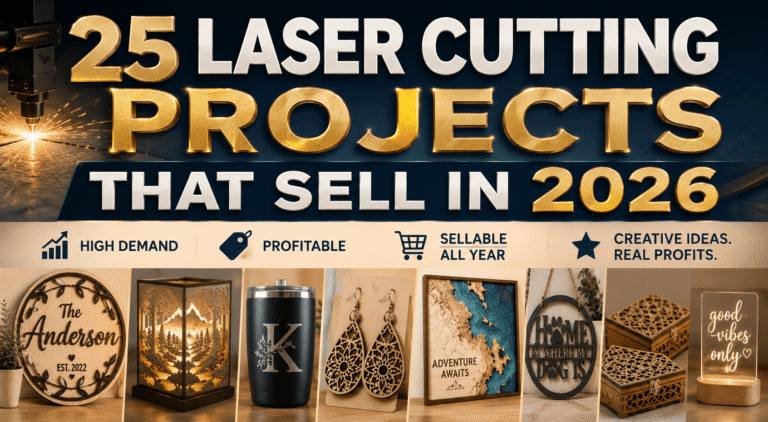
If you’re not sure where to begin, start with categories that already have proven, steady demand rather than trying to invent something entirely new:
- Personalized wedding signs and place cards — high price tolerance, evergreen demand
- Layered mandala or geometric wall art — strong Pinterest performance, easy to bundle into sets
- Gift boxes and small organizers — practical, gift-friendly, works as both file and finished product
- Nursery and kids’ room decor (mobiles, name signs, growth charts) — repeat-buyer category as families grow
- Seasonal ornaments and decorations — predictable sales spikes around holidays, easy to plan inventory around
- Earring and jewelry blanks — low material cost, high perceived value, easy to ship
- Custom pet portraits or silhouettes — strong emotional pull, good for social sharing and word of mouth
Pick one or two categories to start, build genuine depth there — five to ten well-made variations rather than one of everything — and expand once you understand what your specific audience responds to.
Common Mistakes New Sellers Make
The most common trap is launching with too many products and too little focus. Ten mediocre, untested designs consistently sell worse than three excellent, well-documented ones — buyers can tell the difference between a design that’s been refined and one that’s a first draft, even without articulating why.
A close second is skipping physical test-cuts before listing a file. A design that looks perfect on screen can have joints that don’t fit, text that’s too thin to survive the cut, or tolerances that only work on one specific material — and customers will notice, then leave a review about it.
Underpricing to “get started” is another frequent misstep. Cheap pricing doesn’t just cost you margin — it attracts price-sensitive buyers who are more likely to complain and less likely to become repeat customers, which sets a bad pattern early.
Finally, many sellers treat their shop as a side thought rather than something to update regularly. Stores that add new designs, refresh photos, and publish new content on a consistent schedule — even something as modest as one new listing and one blog post a month — consistently outperform stores that go quiet after the initial launch excitement fades.
FAQ: Starting a Laser Cutting Business
Do I need my own laser cutter to sell files? No — many top-selling file designers don’t own the exact machines their customers use. What matters is test-cutting on common materials and settings (or working with someone who can) so you can confidently document what works.
How much can I realistically earn starting out? It varies widely by niche, effort, and consistency, but sellers who post regularly and diversify between files and physical products tend to see steady growth over 3–6 months rather than a sudden breakout — treat the first few months as testing and refining, not as a final verdict on the business.
Do I need a business license or to register as self-employed? Requirements vary by country and by how much revenue you’re generating — check your local regulations before your first sale, and revisit the question once income becomes consistent rather than occasional.
Should I sell on a marketplace, my own store, or both? Both, ideally, but in sequence if needed — marketplaces for discovery early on, and your own store as the destination once you have any traffic of your own (Pinterest, blog, social) to send there instead of relying entirely on marketplace search.