How to Choose the Right Laser Cutter. Part 3
The Rise of Fiber Lasers
- Fiber lasers originated in industrial metal marking (automotive, jewelry, serial numbers on parts) and only recently trickled down into desktop format for small business/hobby use.
- The desktop wave: ComMarker, Cloudray, OMTech, and Monport brought fiber marking machines into the $400–2,000 range, making them accessible to small shops.
- Key difference from CO2: the 1064nm wavelength is absorbed by metals, not organics — meaning this laser won’t cut wood/acrylic/leather, but it marks and cuts thin metal.
- In 2025–2026, xTool and Gweike released hybrid machines (diode/CO2 + fiber in one housing) — a trend toward “two lasers in one machine” for makers who want to cover both organics and metal.
What a quality fiber machine can process:
- Marking/engraving: stainless steel, aluminum, brass, copper, titanium, anodized and coated metals — deep, high-contrast black marking on bare steel with no paint needed.
- Cutting thin sheet metal (typically up to 1–3mm depending on power) — for higher-power machines (50W+).
- Engraving on non-metals is limited: marking-grade plastics, leather (spot work), but not bulk wood/acrylic work — that’s CO2/diode territory.
- Why this matters for sellers: engraving on flasks, knives, jewelry, keychains, tools, dog tags — a product category with a high price point and lower competition compared to wood/acrylic.
Popular examples include:
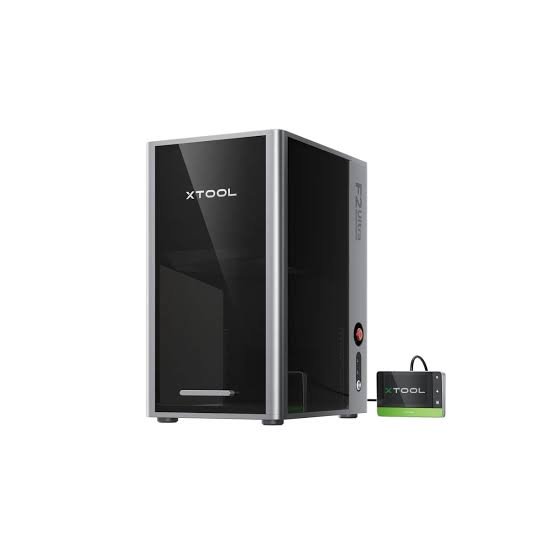
xTool F2 Ultra (premium, diode+CO2+fiber hybrid)
Mirrors the role of the xTool P2S: flagship with automation (cameras, autofocus), enclosed housing — for makers who’ve outgrown manual machines and want one machine that covers both metal and organics.
Specifications:
Laser type: Dual-laser system — 60W MOPA fiber laser + 40W blue diode laser — the most powerful and only dual-source machine in this metal-cutting lineup
Maximum speed: 15,000 mm/s — by far the fastest machine in this comparison; roughly 25x the CO2 cutting speed of the OMTech Polar Lite from Part 2
Working area: 220 × 220 mm (8.6″ × 8.6″) — expandable to 220 × 500 mm (8.6″ × 19.6″) with the optional conveyor accessory
Wavelengths: MOPA fiber 1064 ± 5nm for metal; diode 445 ± 15nm for wood, acrylic, and other organics — two lasers covering both material categories in one machine
Metal cutting capacity: brass and stainless steel up to 2mm, aluminum and silver up to 1mm, gold up to 0.2mm in a single pass
Dual 48MP cameras: panoramic + close-range, AI-assisted positioning accurate to 0.2mm — lets you preview the exact engraving result on the material before firing
MOPA pulse control: adjustable pulse width and frequency (a MOPA-exclusive feature) — enables deep true-black marking in fewer passes and 100+ color combinations on stainless steel, without marking spray
3D embossing: engraves raised/relief textures directly into metal coins and plates — a feature the standard Q-switched fiber lasers in this lineup (OMTech, Monport, Cloudray, ComMarker) can’t reproduce
Enclosure & safety: fully enclosed housing that contains laser leakage and smoke — rated for safe operation in retail spaces and shared workshops without extra ventilation infrastructure
Software: xTool Studio only — unlike the other machines in this guide, LightBurn is not natively supported
Cut & engrave materials: wood, acrylic, leather (via the diode laser)
Engrave/cut materials: stainless steel, aluminum, titanium, gold, silver, platinum, plus glass and slate (via the MOPA fiber laser)
The xTool F2 Ultra and OMTech Fiber Laser Marking Machine represent two different philosophies of fiber laser ownership. The OMTech gives you real MOPA-adjacent marking power for a fraction of the spend, with full manual control through LightBurn or EZCad — ideal for makers who already know their way around a laser and want to keep costs down. The F2 Ultra bets on automation and versatility: dual 48MP cameras, true MOPA pulse control for color and true-black marking, a second diode laser for wood and acrylic, and a fully enclosed housing built for retail floors. For a seller fulfilling high-value custom metal orders — jewelry, dog tags, engraved tools — that price gap pays for itself in speed, color range, and the ability to skip a second machine entirely. Choose the OMTech to get started in metal marking. Choose the F2 Ultra when your product line has outgrown single-material, manual-setup machines.
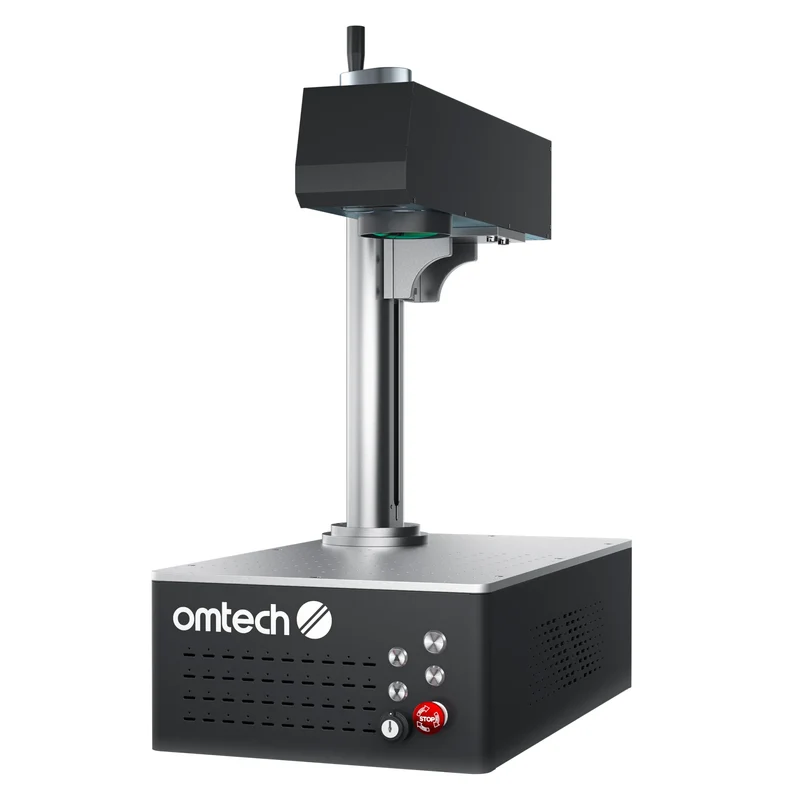
OMTech 30W/50W Fiber Laser Marking Machine (open-frame workhorse)
Mirrors the role of the OMTech Polar Lite: an honest workhorse, LightBurn/EZCad support, manual setup, strong price-to-power ratio.
Specifications:
Laser type: Galvo fiber laser, 1064nm wavelength, available in 20W/30W/50W configurations — a standard (non-MOPA) fiber source, so color marking isn’t available, only black/gray engraving
Maximum speed: 10,000 mm/s — fast for a manual-setup machine, though still well behind the F2 Ultra’s 15,000 mm/s
Working area: 5.9″ × 5.9″ (150 × 150mm) on the 30W/50W units; 4.3″ × 4.3″ (110 × 110mm) on the 20W — workbed itself measures 9.8″ × 13.4″ (250 × 340mm)
Marking accuracy: ±0.01mm, with positioning accuracy of ±1mm — precise enough for jewelry-scale detail work
Engraving depth: 0.04–0.1mm per pass — shallow by design, since this is a marking machine, not a metal cutter
Autofocus: one-click autofocus — no manual height adjustment needed, though there’s no camera for design preview like the F2 Ultra offers
Laser lifespan: 100,000+ hour MTTF-rated source — a maintenance-free laser for the life of the machine
Laser class: Class 4 — unlike the F2 Ultra, this is an open-frame machine, so the beam is exposed and proper eyewear/enclosure practices are the operator’s responsibility
Software: EZCad2 natively, with LightBurn compatibility included free — full manual control over power, speed, frequency, and pulse width
Materials: stainless steel, aluminum, brass, titanium, and other metals, plus some marking-grade plastics — no color engraving and no metal cutting, marking only
Price: $1,899.99 (30W) / $2,799.99 (50W) — roughly a third of the F2 Ultra’s cost, the classic budget-workhorse trade-off
Check current price on Amazon or the official OMTech store
The OMTech Galvo Fiber Laser Marking Machine and the xTool F2 Ultra represent two different philosophies of fiber laser ownership. The OMTech gives you a genuinely fast, precise metal marker — 10,000 mm/s, ±0.01mm accuracy, a 100,000-hour-rated laser source — for well under a third of the F2 Ultra’s price, with full manual control through EZCad2 or LightBurn. The trade-off is honest: no camera preview, no color engraving, and an open Class 4 frame that puts eye safety and enclosure setup on the operator. The F2 Ultra bets on doing more per machine — MOPA color marking, a second diode laser for organics, dual cameras, full enclosure — at roughly triple the cost. For a maker just starting to take on metal engraving orders, the OMTech is the obvious first machine: it does the core job (marking stainless steel, brass, aluminum) extremely well and leaves money on the table for materials and marketing instead of automation. Choose the OMTech to start marking metal profitably. Choose the F2 Ultra once color work and organic materials both need to run through the same shop.
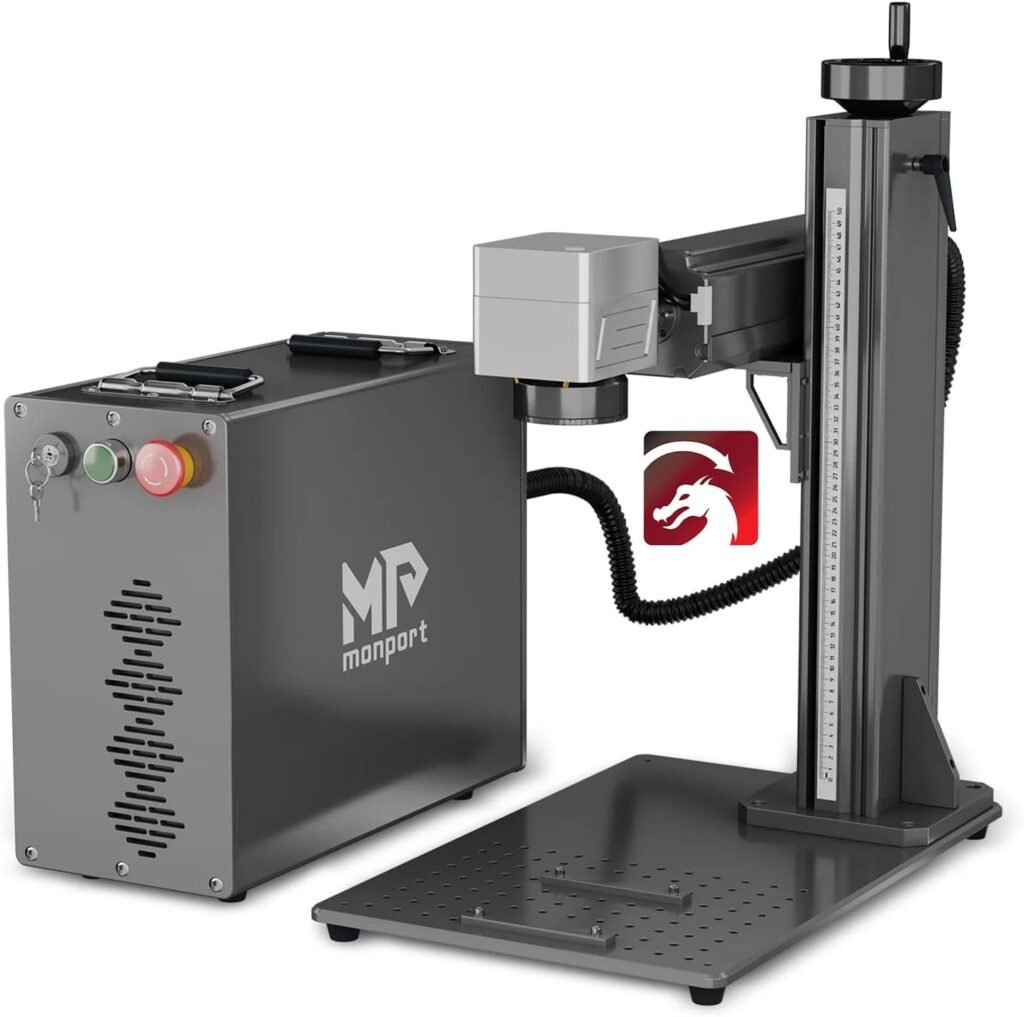
Monport 30W Fiber Laser Marking Machine
Mirrors the role of the Monport 40W Pro: the most accessible entry point into fiber marking, compact, open-frame, honest limitations (no thick-metal cutting, marking only).
Specifications
Laser type: Split fiber laser, 30W, 1064nm wavelength — a standard (non-MOPA) source, so color marking isn’t available at this power tier
Maximum speed: 10,000 mm/s — matches the OMTech Galvo on raw speed, well behind the F2 Ultra’s 15,000 mm/s
Working area: 5.9″ × 5.9″ (150 × 150mm) — identical footprint to the OMTech 30W/50W
Engraving accuracy: 0.01mm, with positioning accuracy of ±0.1µm — Monport’s tightest-published spec in this lineup
Max marking depth: 0.08mm per pass — marking-grade, not a metal cutter, though the GT series’ higher-power siblings (50W+) manage light cutting on metal under 3mm
Autofocus & electric lifting: one-click autofocus plus a motorized Z-axis — a step up from OMTech’s autofocus-only setup, closer in convenience to the F2 Ultra
Rotary support: built-in rotation-axis function, though the physical rotary attachment is sold separately (~$290)
Laser lifespan: 100,000-hour MTTF-rated source — same maintenance-free profile as OMTech and the F2 Ultra’s fiber module
Software: BslAppSimple plus native LightBurn support, Windows/macOS — full manual control, same open approach as OMTech
Materials: brass, titanium, gold, silver, tungsten, steel, plus hard plastics, marble, granite, and other engrave-only surfaces — no color engraving, no metal cutting at 30W
The Monport GT 30W and the OMTech Galvo 30W represent two takes on the same budget-to-mid fiber marking tier. OMTech wins on pure price — roughly $700 less — while Monport answers with tighter positioning accuracy (±0.1µm vs ±1mm) and adds electric lifting on top of autofocus, so height changes between jobs are motorized rather than manual. Both are open-frame, standard (non-MOPA) fiber sources with no color engraving, and both lean on LightBurn for full manual control. The real difference shows up in workflow: Monport’s electric lift and built-in rotary-axis support make it a smoother fit for shops running mixed batches — flat tags one hour, tumblers or rings the next — where OMTech asks you to handle those transitions by hand. Choose the OMTech if metal marking is a side offering and budget is the deciding factor. Choose the Monport GT 30W if you’re already running varied product runs and the extra few hundred dollars buys back real setup time.
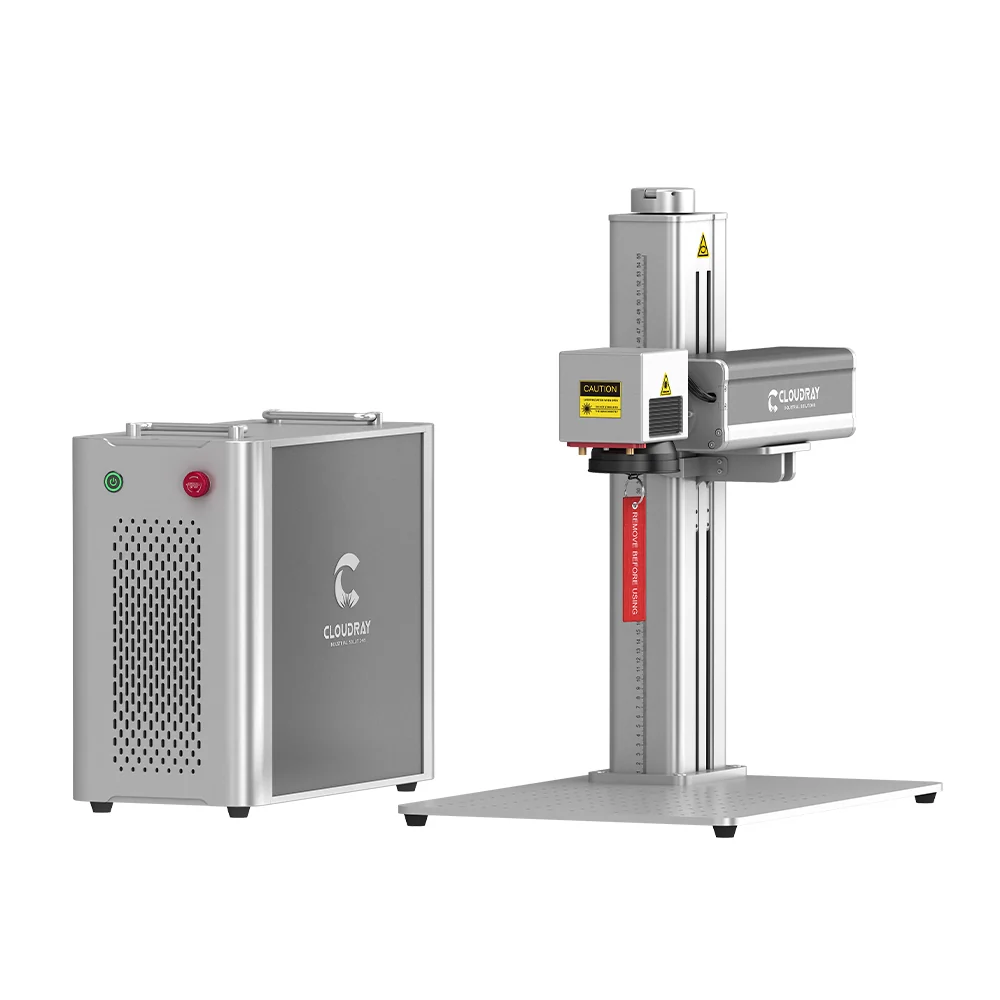
Cloudray GM/QS Series Fiber Laser (OMTech alternative in the mid-tier)
Used for the comparison block (mirrors the OMTech Polar Lite vs. xTool P2S, or Gweike vs. OMTech comparison): how Cloudray differs from OMTech in the same price bracket — typically more aggressive pricing, a different software stack.
Specifications
Laser type: 30W Q-switched Raycus fiber laser, 1064nm wavelength — a split-type design (separate control box and laser head), the entry point into Cloudray’s QS series
Maximum speed: 10,000 mm/s — matches OMTech and Monport GT on raw speed, still behind the F2 Ultra’s 15,000 mm/s
Working area: 4.3″ × 4.3″ (110 × 110mm) — noticeably smaller than the 150 × 150mm working areas on the OMTech 30W and Monport GT 30W
Positioning accuracy: ±0.1µm, with detail down to roughly 0.001mm — precise enough for small jewelry and nameplate work
Max engraving depth: up to ~1mm per pass on the series, material dependent — marking and light relief work, not metal cutting
Focus: manual, via a red-light preview and a focus-height adjustment wheel — no autofocus, a step down from both OMTech’s and Monport’s autofocus setups
Rotary axis: D80 rotary included standard in the box — unlike OMTech and Monport, where rotary is a separate accessory purchase
Laser lifespan: 100,000-hour rated Raycus source — same maintenance-free profile as the rest of this lineup
Software: EZCad2 with native LightBurn support, Windows/macOS — full manual control, same open approach as the rest of the field
Materials: stainless steel, aluminum, brass, copper, silver, titanium, plus select engravable plastics — marking only, no metal cutting
Price: around $1,499 on sale — the cheapest fiber marker in this entire lineup, undercutting even the OMTech 30W
Check current price on the official Cloudray Laser Technology Co., Ltd. store
The Cloudray QS-30 and the OMTech Galvo 30W compete for the same budget-conscious buyer, and the trade-offs run in opposite directions. Cloudray wins on price and includes the D80 rotary axis in the box — a real saving, since OMTech and Monport both sell rotary as a $250–300 add-on. OMTech answers with a working area 80% larger (150×150mm vs. 110×110mm) and one-click autofocus, where Cloudray still relies on a manual focus-height wheel and red-dot preview. For anyone planning to engrave small items — rings, pens, dog tags — the QS-30’s smaller bed is a non-issue and the built-in rotary makes it the better buy outright. For sellers working larger flat stock — plaques, signage blanks, larger tool sets — OMTech’s bigger bed and autofocus save real time per job. Choose the QS-30 if your product line is small-format and rotary work from day one. Choose the OMTech if you need the larger working area and don’t mind buying rotary later.
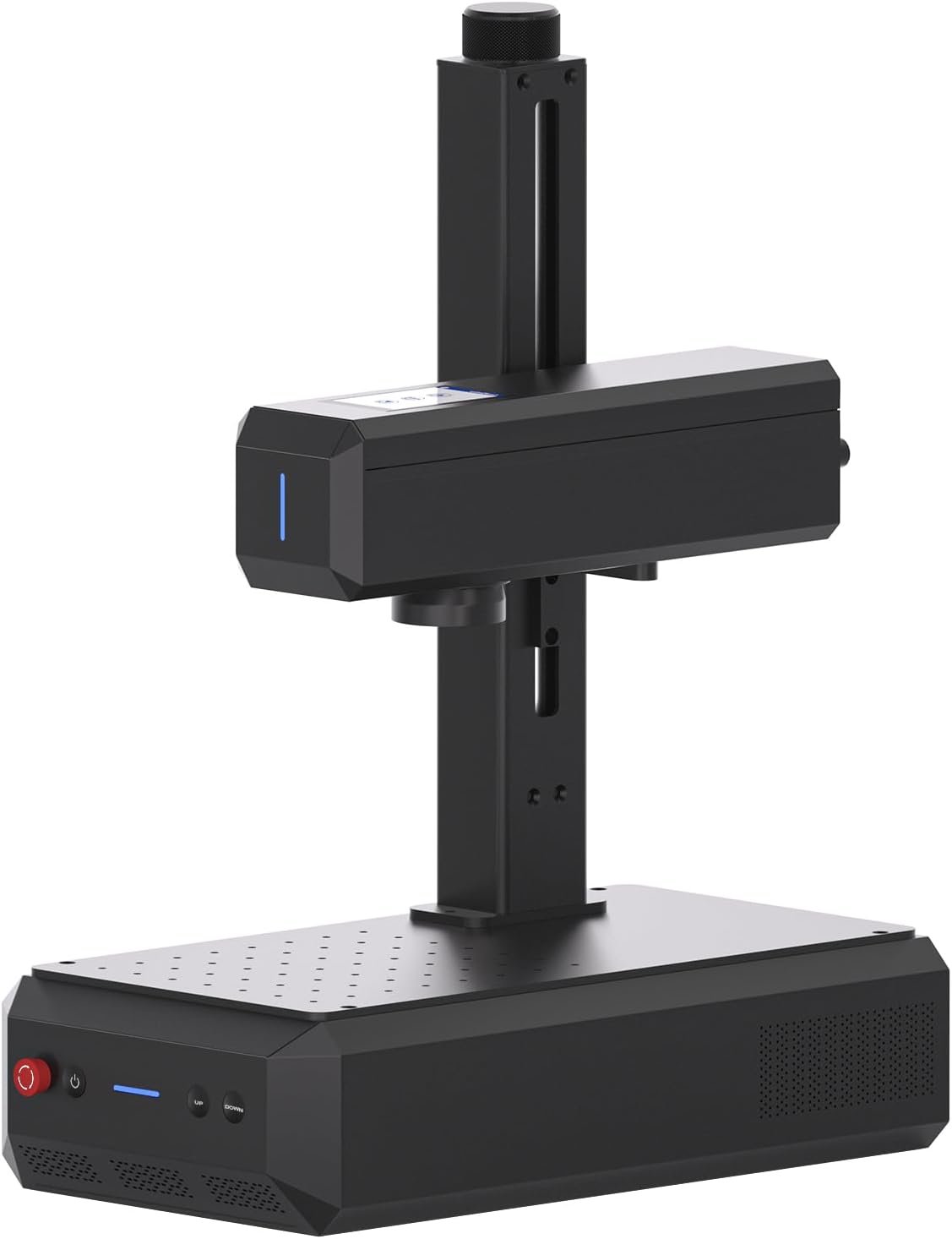
ComMarker B4/B6 Fiber Laser Engraver (mid-range, popular for jewelry/knives)
Mirrors the role of the Gweike Cloud: a close competitor in the mid-price segment, known in the jewelry- and knife-engraving niche, rotary axis included as standard
Specifications
Laser type: 20W fiber laser as the base configuration (30W/50W/MOPA upgrades available) — both B4 and B6 share the same core galvo engine, just different chassis
Maximum speed: 0–15,000 mm/s — matches the F2 Ultra’s top speed, the fastest rated ceiling in this lineup outside xTool
Working area: dual-lens system included standard — 110 × 110mm lens for fine detail (spot size as small as ~0.05mm) plus a 200 × 200mm lens for large-format engraving, a combination none of the other machines in this guide include out of the box
Focus: motorized autofocus Z-axis — one-click focusing, closer to the F2 Ultra’s convenience than Cloudray’s manual wheel
Handheld mode: ships with a distance-frame bracket that lets you detach the laser head and engrave directly onto oversized or fixed objects — a capability unique to the ComMarker line in this comparison
Rotary axis: heavy-duty chuck-style rotary included standard on B4; the B6 pairs with ComMarker’s R5 5-in-1 rotary, covering spheres, rings, cylinders, cones, and irregular shapes, plus a 15cm riser for taller rotary work
Frequency range: roughly 20–100kHz adjustable — gives finer control over marking contrast and the annealing/polishing effects fiber lasers are known for
Software: EZCad2 and native LightBurn support (Galvo license required) — same open manual-control approach as OMTech, Monport, and Cloudray
Materials: stainless steel, brass, aluminum, gold, silver, titanium, plus black acrylic — the 1064nm beam marks black acrylic cleanly, a material most pure fiber machines struggle with
Form factor (B6): the more compact of the two — 13.5kg, marketed as the smallest industrial-grade fiber machine in ComMarker’s lineup, aimed at makers tight on bench space
Check current price on the official Commarker store
ComMarker’s B4 and B6 compete less on raw specs than on what’s included in the box. Where OMTech and Cloudray sell rotary axes and extra lenses as add-ons, the B4 ships standard with a heavy-duty rotary chuck, a foot pedal, and two lenses covering both fine-detail and large-format work — plus a handheld bracket that turns it into a portable marker for objects too big to fit any working bed in this lineup. The trade-off is focus: ComMarker leans on frequency tuning and dual lenses rather than a second laser source, so it still can’t match the F2 Ultra’s true MOPA color range or diode-side wood/acrylic cutting. The B6 trims the footprint further for shops tight on space, at the cost of a slightly smaller rotary ceiling than the B4’s chuck. For a jewelry or knife engraver who wants maximum included accessories without paying premium-tier prices, the B4/B6 is the best value-per-box in this guide. Choose ComMarker if handheld flexibility and rotary work out of the gate matter more than raw laser count. Choose the F2 Ultra if color marking and non-metal cutting need to live in the same machine.
This Is Just the Beginning
The five machines covered here — the xTool F2 Ultra, OMTech’s Galvo fiber marker, the Monport GT 30W, the Cloudray QS-30, and the ComMarker B4/B6 — are obviously not the entire fiber laser market for metal. They’re simply the handful of machines that stood out enough, at this particular moment, to be worth a closer look: each one carves out its own niche, with real strengths and honest trade-offs rather than a single machine that wins on every metric.
The fiber laser space moves faster than any single roundup can keep up with. New models, power tiers, and MOPA-capable revisions show up almost every quarter, and pricing shifts just as quickly as brands compete for the same budget-conscious buyers. A machine that looks like the best value today can easily be replaced by something better six months from now, which is exactly why a guide like this should be read as a snapshot rather than a permanent verdict.
That’s why this isn’t the last word on metal-cutting lasers — it’s the start of an ongoing thread. I’ll keep digging into this category, testing and researching machines that don’t make the obvious shortlist, and updating this comparison as genuinely interesting options surface. And of course, I’ll be keeping an eye on new releases as manufacturers push fiber and MOPA technology further into the desktop and small-business price range.
Who Should Buy a Fiber Laser?
The honest answer: fiber isn’t a good first machine. If you’re not already selling wood/acrylic work on a diode or CO2 machine, starting with fiber is premature — the material niche is narrower and there’s less room for material experimentation.
Fiber becomes worth it when customers start asking for: engraving on metal flasks/tumblers, dog tags, personalized knives and tools, jewelry made from stainless steel/titanium, serial marking on parts.
Internal links to relevant category pages (personalized metal gifts, engraved jewelry, custom tumblers/dog tags) — 3-4 internal links to site categories.
Safety block (mirrors the CO2 ventilation warning): 1064nm is an invisible beam; standard CO2 safety glasses do NOT protect against fiber lasers. You need certified OD-rated glasses specifically for 1064nm, and should only operate in an enclosed housing or with a properly controlled work zone. This isn’t about ventilation — it’s about eye safety, and the risk is higher than with CO2.